Thursday, April 19, 2007

Ubuntu 7.04 Feisty Fawn released

The new Ubuntu has been released, it's numbered 7.04 and it's name is (as many already know) Feisty Fawn.
Go get it here (www.ubuntu.com) or here (releases.ubuntu.com).

Thursday, April 12, 2007

We all live in a ...

As this Reuters.com article says, the royalty dispute between the Beatles' record company called "Apple Corps" and EMI has been settled. This probably means the Beatles music will be available in internet music stores soon.

CHMOD a-x on executable files in subdirs

Today I copied a lot of files from a Samba share, the problem with this is that
chmod a-x * -R
won't work since all directories will also be non-executable and therefor not accessible.
The command I used is:
find -type f -exec chmod a-x {} \;


Thanks to Pascal de Bruijn, Stephan Kochen and Martijn van de Streek.

Friday, April 06, 2007

CPU frequency selector

About a year ago I bought a IBM ThinkPad R50e, which is actually one of the most basic IBM laptops you will find. It came with 256 MB RAM (which I upgraded to 512 MB), it has no fancy things like TV-Out and did not come with a integrated WiFi card, and does not have an mini-PCI slot.
But well it came with all the things I really needed, and I bought a nice WiFi PC-Card (about which I will blog soon), and everything works like a charm.
The "luxury" of this laptop is the CPU, it contains an "Intel Pentium M 1.60 GHz processor", which is pretty nice for such a modest laptop. It's a stepping CPU which means in normal mode it will run at 600 MHz and on demand will step up a maximum of 5 steps, 200 MHz each.
Under Microsoft Windows I could use a tool that came from Intel to set the CPU stepping manually, for example if my battery was very low I could force it to run at 600 MHz, so I would get the most time out of it.
In Ubuntu however I could use the CPU frequency tool to read the current frequency but I couldn't adjust it, which can come in handy sometimes. Then Dennis Laumen (my hero in this case) said he read something about why this is not enabled by default. The CPU frequency is a system setting and should not be configurable by any user, only users with administrative permissions, and by default a gnome-panel applet doesn't have these rights. This can however be changed really easy.
  1. Open a terminal window and type "sudo dpkg-reconfigure gnome-applets".
  2. Execute that command and enter the root password to get administrative permissions.
  3. The following dialog will appear, read it and press "OK".

  4. Then you are presented with the question to give the cpufreq-selector tool permission to set the frequency stepping of the CPU, this question should be answered with "Yes".

  5. Wait until control is returned to the terminal and close it.
If I (left)click the CPU frequency monitor gnome panel applet now it looks like.


After this it's time to Rock'n'Roll, thanks to Dennis Laumen for pointing this out to me, and Carlos Garcia Campos for creating this wonderful applet.

Notes:
  • It would be nice if the frequency selector could be activated using the preferences of the applet, it could then by using gksudo possibly give a graphical interface for users to enter their root password and activate the additional functionality.
  • It's also possible to use governors which will adjust the frequency of the CPU dynamically after certain parameters change, for example the demand of CPU power.

Friday, March 16, 2007

GNOME 2.18 and MP3?

Yesterday
Yesterday I blogged about the new GNOME release.
One of the things I found a bit odd while reading the release notes was this sentence:
Encode your audio in more formats including OGG, MP3 or even AAC!
This made me think that MP3 and AAC support would be in the new GNOME. Well I just ignored it and thought it was some kind of marketing trick I didn't understand.

Today
Today I downloaded the Demo Live CD to try the new GNOME. When I was using it and browsing some network share I came across some MP3s. I just couldn't resist and double-clicked one of them. (Well actually right-clicked it and opened it in Totem since Banshee which is using Mono wouldn't start under the Live CD.)

To come to the point, when Totem started all of a sudden sound was coming out of my speakers. And I was flabbergasted. Did I miss something somewhere or does GNOME have MP3 support by default these days?

Ubuntu new release new website

On April 19th the new Ubuntu will be released. It will be dubbed Ubuntu 7.04 Feisty Fawn. The first real beta is going to be released on March 22nd.

Just before Dapper was launched the Ubuntu website was updated, and today I noticed it has been updated again. And it's a real improvement.
What I like are the two button in the center, nothing else just two buttons "Desktop" and "Server". Also the small menu on the left side is simple, clear and easy. Thumbs up.

Thursday, March 15, 2007

GNOME 2.18 released

A new release of the GNOME desktop environment is out.
This time it's version 2.18, and as always it looks really great.

Have a look at the GNOME 2.18 page or jump directly to the GNOME 2.18 Release Notes (English).

Monday, March 05, 2007

Voor degene die de betekenis niet kent


sa·men (bw.)
1 bij elkaar => bijeen, saampjes, tezamen
2 met elkaar
3 onderling
4 bij elkaar gerekend
sa·men·wer·ken (onov.ww.)
1 gemeenschappelijk aan eenzelfde taak werken => coƶpereren, samendoen

Bron: Van Dale

Tuesday, February 27, 2007

Koop "vrienden" voor 99 cent

Dat de social networking sites de laatste tijd nogal een hype zijn en behoorlijk uit de hand lopen wisten we al. Maar dat je tegenwoordig, mocht je geen aanzienlijk "vrienden" lijstje hebben, deze "vrienden" kunt kopen dat slaat echt alles.

Sunday, February 25, 2007

Bluetooth on Ubuntu Linux

Recently I borrowed a Bluetooth USB stick from a friend of mine, just to try if I could get it working on Ubuntu. My friend bought this stick at MediaMarkt for 13 euros, it has no brand on the package just the name Qtrek on the stick itself. And it's pretty small.

So I plugged in the stick and typed in "lsusb" on the console to see what kind of chipset it had. On the console it said:
ID 0a12:0001 Cambridge Silicon Radio, Ltd Bluetooth Dongle (HCI mode)

turns out this chipset is well supported on Linux, immediately a red light in the stick started to blink.

How it works now:
The first thing I tried was sending a file with my phone, it found my computer as "zaphod-0", I didn't have to do anything for this, it just was there.
When I wanted to send the file it failed however.
On the blog of Pascal de Bruijn I read about his experience with Bluetooth and also read he installed the "gnome-bluetooth" package. I followed his example and a new application called "Bluetooth File Sharing" appeared in my "Applications -> Accessories" menu.
By starting this application a nice little icon appears in the notification area (system tray). So again I tried to send a picture from my mobile phone, and all of a sudden this dialog popped up:
Since "Arthur Dent" is the bluetooth identification of my phone, I knew it worked, so I pressed the "OK" button and waited. Now the progressbar on my phone started to work and also the icon in the notification area starts an animation, and after a while this dialog appeared:
Then I knew the file was transferred, and there it was on my desktop. Worked like a charm. Well actually there were some humps and bumps, but once I fixed those it works exactly like I told above.

What really happened:
At first when I started the "Bluetooth File Sharing" application and wanted to send a file from my phone it failed. So I grabbed my sister's phone an LG KG800 and from there I tried to send a picture, and immediately it worked.
If you experience problems with this file sharing you can start the "Bluetooth File Sharing" application from the console by using the following command:

/usr/bin/gnome-obex-server

whenever something happens on the bluetooth connection debug messages are printed to the console, a succesfull transfer should look like this:

conn_request: bdaddr 00:17:4B:1D:0B:E9
conn_complete: status 0x00
** Message: Incoming connection from 00:17:4B:1D:0B:E9
** Message: Device 00:17:4B:1D:0B:E9 is about to send an object.
** Message: File arrived from 00:17:4B:1D:0B:E9
** Message: Filename '200702171898.jpg' Length 308934
** Message: Saving to '/home/lgespee/Desktop/200702171898.jpg'

Between the "** Message: Device ..." and "** Message: File arrived ..." the file is actually being transferred, so it can take a while for the lather to show up.
When I tried to send from my phone I only got to "** Message: Device ..." and then my phone told me the transfer failed. Since I am used to problems with my phone I gave it a good old reboot, and that did the trick, now it works like it should.

Tip of the day: Never ever buy a Nokia N70, cause it sucks in everything, bigtime, thanks Nokia.

Friday, January 26, 2007

Linux Apple Airport Express Support

Well it's a little bit late, but this post is a reaction to three posts Stephan Kochen about streaming audio from the GStreamer framework tomade by an Apple Airport Express. (Post 1, Post 2, Post 3).

More than a month ago I was looking for a GStreamer sink that would stream audio player by the GStreamer framework to an Apple Airport Express.
I couldn't find anything, the only thing I found was JustePort by Jon Lech Johansen. And a certain Bash script.

I got it working more or less. What I did was create an ALSA sink, so it would write all data it received to a file (actually a FiFo). The Bash script I found would then be started and in a infinite loop keep reading data from the FiFo and pipe it to JustePort.
It worked, well I got sound on my speakers (which are connected to an amp. which is connected to the Apple Airport Express). The problems and/or limitations I experienced were:
  • A crash of the music player the first play you want to start playing a song with this construction. Restarting the music player and trying again always worked.
  • An irritating buzz when the FiFo was empty (the player was paused, or the gap in between songs).
  • The horrid construction and actions that need to be taken to get it working each time.
  • And of course the fact that all sound in Linux that was player over ALSA would be outputted to my speakers.
The best thing would indeed be a GStreamer sink plugin for this. So Stephan just to let you know, there are other people (even in your province) that are interested in this.
Now I am not a really great programmer on these kind of systems (too hardware oriented I'm afraid) but maybe I can help you in some way.

I think the best thing to do is to get something small to work first like detect if a Jack is plugged into the Airport's socket. And then from thereon continue implementing more complicated things.

Let me know if I can help you in any way, cause I have two of these babies at home, so I have a testbed.

Sunday, January 07, 2007

From Sysvinit to Upstart = -12 seconds

A few days ago I reinstalled my Ubuntu Linux PC. I was still using Ubuntu 6.06 Dapper Drake but decided to install Ubuntu 6.10 Edgy Eft since I had no problems with it on my laptop.

I am always a bit reluctant about upgrades so I decided to completely reinstall the system. But before I did I clocked my boot time under Dapper Drake (which uses Sysvinit), from pressing the power button on my PC till the GDM login screen took 67 seconds.

Then I installed Edgy Eft and installed all the applications I previously used and got the settings back (had some troubles with Evolution) and then clocked again. This time from pressing the power button till the GDM login screen took 55 seconds. Upstart gave an improvement of 12 seconds, that's pretty much I think.

Friday, January 05, 2007

Is it a birdie? Is it an Eagle? Is it an Albatros?

No! It's a hole in one!

Uh, well okay, let me explain that. Yesterday I went to Dennis together with Pascal and Ivo, cause Dennis and Pascal both had their birthdays somewhere in the Christmas-holiday and they decided to have a little party. Well actually they decided we all should come play with Dennis' new Nintendo Wii.
An absolutely fabulous idea if you ask me.

We played the games that come packed with the Wii, Bowling (in which I pretty sucked), Tennis, Boxing, Baseball and Golf. Dennis also downloaded (bought) Bomberman from the Wii online shop system, and we played it for some time, a lot of retro fun.

To get back to the title of this post, in the golf game I got a hole in one at Hole 4, the total par of the 9-hole was 36 and I got 36 ;).


And for the insiders something worth mentioning is that Dennis got beaten by Pascal.

Another post about the Nintendo Wii will follow soon.

Monday, September 25, 2006

Gnome-VFS is getting old

Alexander Larrson (RedHat) has been a developer and maintainter of Gnome-VFS for a while now.
He said in this mail a few days back, that he thinks it's time to replace Gnome-VFS.

Gnome-VintageFileSystem

While the idea behind Gnome-VFS is bloody briliant, its architecture and other stuff are getting old. I sure hope the replacement will be good, but I don't really doubt about that.

Saturday, September 02, 2006

Teardown

In all the excitement of Upstart by Scott James Remnant, you might have forgotten this other project by the same guy, Teardown.
The target of Teardown is best described with the usecase on the Teardown wiki page:

Matt is a laptop user, when he shuts down his laptop he doesn't want to have to wait for almost a minute before the laptop has actually powered off.



What it actually does, is remove all redundant and unnecessary symlinks to init scripts in the rc directories. Most scripts only send a TERM signal to their corresponding processes while this is also done by sendsigs. So most of them are redundant. On the teardown wikipage you can find a list of init scripts the developers found where only sending a TERM signal or doing nothing at all!

To those who are thinking, "What the **** is TERM signal?", Teardown just makes your computer shutdown within a few seconds (read: very fast compared to the current shutdown process).

Tuesday, August 29, 2006

1 Ubuntu user + 1 Ubuntu user = 2 Ubuntu users

Help the Ubuntu counter, add yourself and your machines running Ubuntu, to the Ubuntu counter project.

I am Ubuntu user #7442:

The Ubuntu Counter Project - user number # 7442

Thursday, August 24, 2006

Beagle a dog I like & Rhythmbox or Banshee

Beagle a dog I like

As I told you, I reinstalled my Ubuntu PC a few days ago, and since I had some bad experience with Beagle destroying my filesystem in the past, I didn't use it on my old install. But today I gave it another shot, since a lot has happened for Beagle between the old and the new Ubuntu.To be honest, I don't like dogs so much, but this one, man do I like it. Now I can't imagine how I could have ever lived without it. Really great.

Rhythmbox or Banshee

A struggle continuing on my desktop is the choice between Banshee and Rhythmbox, I still can't decide which one is going to be my default player. In the near future I am going to write a comparison from my point of view with the advantages and disadvantages, in my opinion, of the two competitors.

Wednesday, August 23, 2006

Help Firefox win the battle

Help Firefox win the battle against Internet Explorer. This time not by reporting bugs, helping developers, promote it amongst friends and family.


But with a plain old game of checkers, go play.

Vote for your Linux preferences

DesktopLinux.com launched its 2006 Desktop Linux survey on August 21, asking users of Linux desktops to identify what distributions they use, as well as their choice of windowing environment (KDE, GNOME, etc.), web browsers, email clients, and Windows-on-Linux solutions.
Well I think it might be a good idea to tell DesktopLinux.com about your preferences, so go vote now!

Monday, August 21, 2006

Long time, no blog - Some time, long blog

Well it has been over almost two months since my last blog post.
I've been busy with all kinds of things, working, helping charity, having vacation, partying. But I thought it was time to add another post to my blog.

Two days ago I reinstalled my Ubuntu PC. I was still using an install which originated from an early beta, which I updated to another beta. Then I installed XGL using one of the nastiest methods and updated to another beta and finnaly to the stable after that.
Well the system was all sluggish and instable because of my crappy XGL install. So I decided it was time for a reinstall. And woopidoo, does this baby run like a charm now. This time without XGL.
I changed the human window theme because I was bored of it and I still affiliated the caramel color with a sluggish system :).
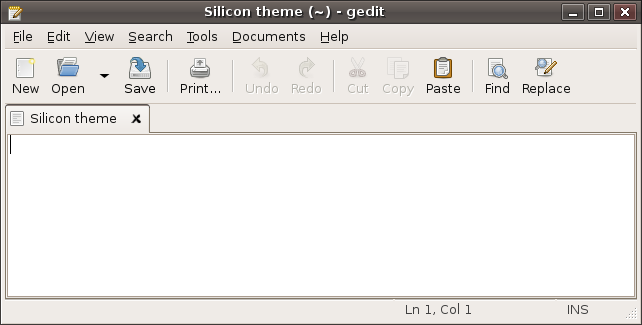
While browsing through the themes that come standard with every Ubuntu install I found one called Silicon, and man do I like it. I especially like the colors (grayish brown) of the title bar and the nice buttons on it, and of course the "not rounded shape" of the window borders.


Of course I was also bored with the fancy shining orange folder icons. So I decided to go with the Tango icon theme on which the Human icon theme is based. The button icons are almost all the same, and it has some nice mat blue colored folder icons.

The next day a friend of mine called me, and we were talking about some things and at one moment he said: "Oh by the way I just installed Ubuntu on a PC I had spare.". Ofcourse I was totally flabbergasted, because I didn't expect him to, so the duration of the phonecall got extended a bit (1.5 hours). I explained a lot of things, from where Linux comes from, where the Canonical gets its funds, who Mark Shuttleworth is, what philosophy drives most opensourcers have, how the community takes part in all this, etc, etc.
He got more and more interested and maybe Ubuntu has another (parttime) user. At one point in the conversation he asked me what KDE was and to what he could compare it (of all the things I told him). Well saying he could compare it with Gnome here would be a plain lie :). So my answer was: "Rommel" (Garbage). I told him it's a desktop environment like Gnome is, and explained him some of the differences. After like two sentences he was completely cured from the KDE idea.
While I was argumenting why Gnome and especially GTK are so great (although he is not an IT person, but a technician nonetheless), I got excited about using GTK again myself. So I decided to install MonoDevelop.The last version of MonoDevelop I installed, on my old Ubuntu install, was I believe a 0.8 and it lacked a lot of things one needs. But the 0.10 shipped with Ubuntu 6.06 Dapper Drake is pretty good, it lacks some things, but it is absolutely useful.

I'll wrap it up because this post is getting pretty long. Probably Ubuntu is getting another user, the father of one of my collegues is willing to give Ubuntu a shot. So I'm going to install Ubuntu on his PC coming thursday and friday and he will try it for a while and then decide to keep on using it, or maybe reverting back to Windows. One advantage is he is very open minded for inovation. He might just love Ubuntu ;).

To prevent these long posts in the future I will try to make some time to at least blog once every week.